---
title: "Packaging Production Management Software | Carton Maker"
description: "Track carton production jobs from customer request to delivery. Manage Gmail intake, workflows, suppliers, attachments, deadlines, Kanban stages, and client updates."
canonical_url: "https://cartonmaker.in/production"
meta:
"og:description": "Track carton production jobs from customer request to delivery. Manage Gmail intake, workflows, suppliers, attachments, deadlines, Kanban stages, and client updates."
"og:image": "https://cartonmaker.in/imgs/production/production-hero.webp"
"og:image:alt": "Carton Maker packaging production workflow"
"og:title": "Packaging Production Management Software"
"twitter:description": "Track carton production jobs from customer request to delivery. Manage Gmail intake, workflows, suppliers, attachments, deadlines, Kanban stages, and client updates."
"twitter:image": "https://cartonmaker.in/imgs/production/production-hero.webp"
"twitter:title": "Packaging Production Management Software"
---
> Index of every page on this site: [llms.txt](https://cartonmaker.in/llms.txt)
# **Your packaging jobs, all moving together. **
Bring customer requests, suppliers, production stages, and updates into one clear workflow.
[Start Production](https://cartonmaker.in/production/jobs) **Explore the workflow**
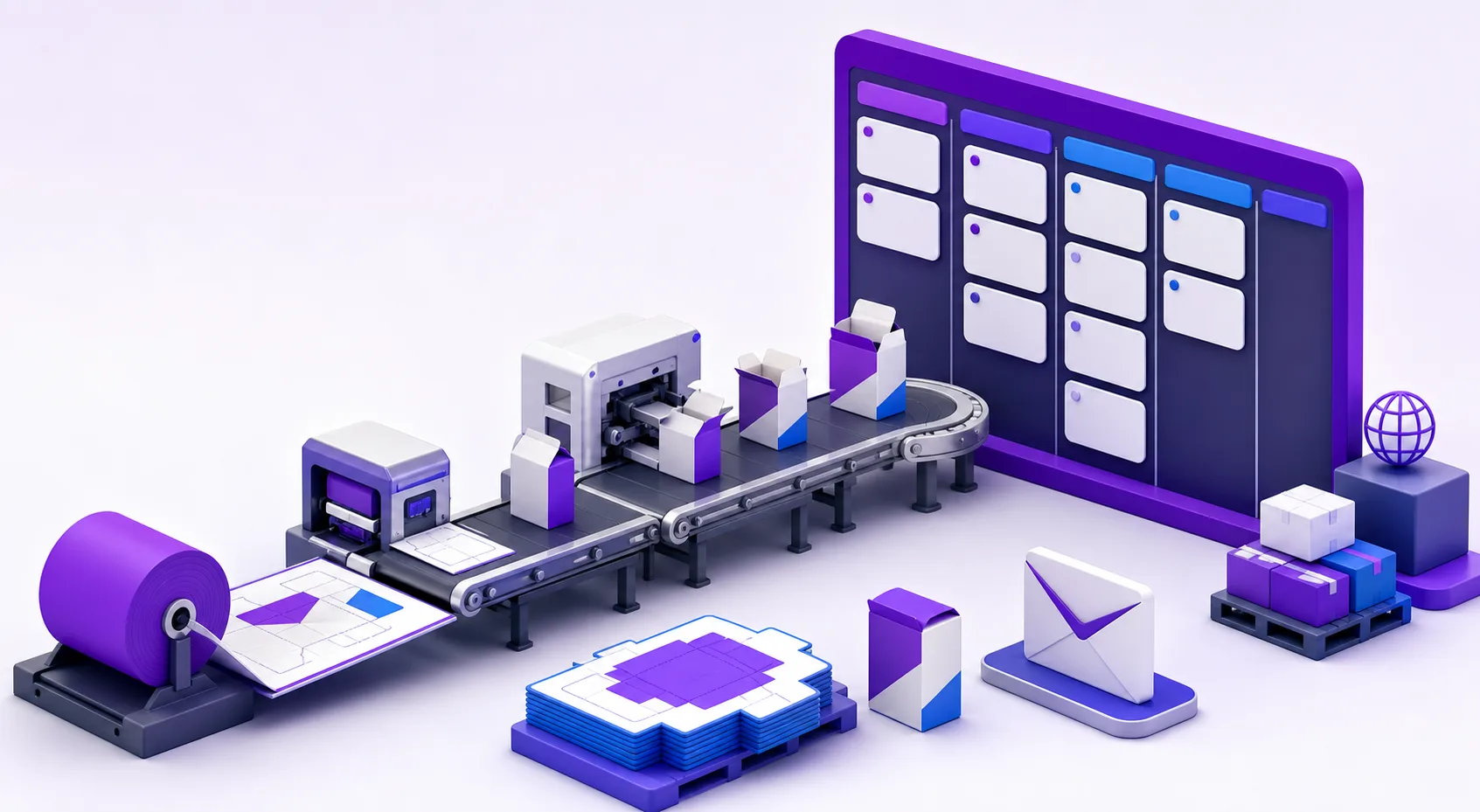
**Customer intake**
**Production jobs**
**Supplier handoffs**
**Progress updates**
## **From the first request to the final delivery **
Keep the details, people, and progress of every packaging job together in one place.
**01**
### **Turn my emails into jobs**
Review production emails, import supported attachments, select a workflow and supplier, and create a tracked job without retyping the request.
**02**
### **Know who is handling the work**
Keep supplier identity and contact details attached to the job so the team knows who owns each external production step.
**03**
### **Keep my customers in the loop**
Choose client-visible milestones and send progress emails automatically as a job moves toward completion and delivery.
### **The details that keep work moving**
#### **Kanban and table views**
Scan structured lists or move jobs visually between workflow stages.
#### **Deadlines that stay visible**
Surface active work, jobs due this week, and overdue production.
#### **Reusable workflows**
Start with workflow templates and clone them for your production process.
#### **Complete job timeline**
Keep stage changes, notes, and email events together in chronological order.
#### **Production attachments**
Upload and download artwork, dielines, approvals, and supporting files.
#### **Internal and client stages**
Control which milestones are operational only and which can notify customers.
## **See what is active, due soon, or overdue at a glance. **
Switch between a searchable job table and a visual board. Move work through stages while preserving its supplier, files, notes, deadlines, and activity history.
- Search jobs by job number, project, or client
- Track active, completed, cancelled, and on-hold work
- Move jobs only within their assigned workflow
- Open the full production record from either view
### **Production overview**
Track work from intake to delivery
Active **18**Due soon **5**Overdue **2**
| **Job** | **Project** | **Stage** | **Due** |
| --- | --- | --- | --- |
| **JOB-1042** | Reverse tuck carton | Prepress | 18 Jul |
| **JOB-1040** | Cake box set | Die making | 16 Jul |
| **JOB-1038** | Retail display box | Printing | **12 Jul** |
| **JOB-1034** | Mailer carton run | Dispatch | Today |
Example production jobs
## **From customer email to finished carton in four steps **
1. **01**### **Capture the request**
Create a job directly or turn a customer Gmail message and its attachments into one.
2. **02**### **Assign the workflow**
Choose the production process, due date, and supplier responsible for the handoff.
3. **03**### **Track every stage**
Use the board or table to keep priorities, files, notes, and progress visible.
4. **04**### **Notify and deliver**
Send updates at client-visible milestones and retain the complete activity record.
## **Flexible enough for every carton workflow **
Use system workflow templates as a starting point, then keep internal production stages separate from the milestones clients need to see.
### **Folding carton manufacturers**
Track prepress, die making, printing, cutting, folding, gluing, and dispatch.
### **Corrugated box plants**
Coordinate customer artwork, board supply, converting steps, and delivery commitments.
### **Packaging converters**
Give mixed packaging jobs consistent ownership, deadlines, and production visibility.
### **Production coordinators**
Replace manual status chasing with a searchable job list and reliable activity trail.
## **Production, without the guesswork **
**What is packaging production management software?**
Packaging production management software organizes customer requests, jobs, workflow stages, suppliers, files, deadlines, and status communication in one operational workspace.
**Can a customer email become a production job?**
Yes. After connecting Gmail, your team can review a message, select supported attachments, assign a workflow and supplier, and create a production job from that request.
**Can we use our own production stages?**
Production includes workflow templates that can be cloned for your process. Stages can also be identified as internal or client-visible for progress communication.
**How are packaging files kept with a job?**
Files can be imported from supported Gmail attachments or uploaded to the job record, where team members can review and download them alongside notes and activity.
**Does Production replace the Carton Maker dieline generator?**
No. The dieline generator creates packaging structures, while Production coordinates the operational work around customer requests, suppliers, stages, deadlines, files, and delivery.
## **Give every packaging job a clear next step. **
Create a shared production record for your team, suppliers, files, deadlines, and customer updates.
[Start Production](https://cartonmaker.in/production/jobs)
```json
{"@context":"https://schema.org","@graph":[{"@type":"WebPage","@id":"https://cartonmaker.in/production#webpage","url":"https://cartonmaker.in/production","name":"Packaging Production Management Software","description":"Track carton production jobs from customer request to delivery. Manage Gmail intake, workflows, suppliers, attachments, deadlines, Kanban stages, and client updates.","isPartOf":{"@id":"https://cartonmaker.in/#website"},"primaryImageOfPage":{"@type":"ImageObject","url":"https://cartonmaker.in/imgs/production/production-hero.webp"}},{"@type":"FAQPage","@id":"https://cartonmaker.in/production#faq","mainEntity":[{"@type":"Question","name":"What is packaging production management software?","acceptedAnswer":{"@type":"Answer","text":"Packaging production management software organizes customer requests, jobs, workflow stages, suppliers, files, deadlines, and status communication in one operational workspace."}},{"@type":"Question","name":"Can a customer email become a production job?","acceptedAnswer":{"@type":"Answer","text":"Yes. After connecting Gmail, your team can review a message, select supported attachments, assign a workflow and supplier, and create a production job from that request."}},{"@type":"Question","name":"Can we use our own production stages?","acceptedAnswer":{"@type":"Answer","text":"Production includes workflow templates that can be cloned for your process. Stages can also be identified as internal or client-visible for progress communication."}},{"@type":"Question","name":"How are packaging files kept with a job?","acceptedAnswer":{"@type":"Answer","text":"Files can be imported from supported Gmail attachments or uploaded to the job record, where team members can review and download them alongside notes and activity."}},{"@type":"Question","name":"Does Production replace the Carton Maker dieline generator?","acceptedAnswer":{"@type":"Answer","text":"No. The dieline generator creates packaging structures, while Production coordinates the operational work around customer requests, suppliers, stages, deadlines, files, and delivery."}}]}]}
```
```json
{"@context":"https://schema.org","@type":"BreadcrumbList","itemListElement":[{"@type":"ListItem","position":1,"name":"Home","item":"https://cartonmaker.in/"},{"@type":"ListItem","position":2,"name":"Production","item":"https://cartonmaker.in/production"}]}
```
```json
{"@context":"https://schema.org","@graph":[{"@id":"https://cartonmaker.in/#website","@type":"WebSite","name":"Carton Maker","url":"https://cartonmaker.in/","publisher":{"@id":"https://cartonmaker.in/#identity"}},{"@id":"https://cartonmaker.in/production#webpage","@type":"WebPage","description":"Track carton production jobs from customer request to delivery. Manage Gmail intake, workflows, suppliers, attachments, deadlines, Kanban stages, and client updates.","name":"Packaging Production Management Software","url":"https://cartonmaker.in/production","isPartOf":{"@id":"https://cartonmaker.in/#website"},"potentialAction":[{"@type":"ReadAction","target":["https://cartonmaker.in/production"]}],"primaryImageOfPage":{"@id":"https://cartonmaker.in/#logo"}},{"@id":"https://cartonmaker.in/#identity","@type":"Organization","description":"Carton Maker is an online dieline generator that allows users to create custom packaging box dielines quickly and easily. With a user-friendly interface and a wide range of templates, Carton Maker simplifies the process of designing and visualizing packaging boxes for various products.","email":"cartonmaker.app@gmail.com","foundingDate":"2014-09-09","name":"Carton Maker","telephone":"+918655561715","url":"https://cartonmaker.in","contactPoint":{"@type":"ContactPoint","telephone":"+918655561715","contactType":"Customer Support","availableLanguage":["English","Hindi"]},"logo":{"@id":"https://cartonmaker.in/#logo"},"sameAs":["https://www.youtube.com/@cartonmaker4","https://www.instagram.com/cartonmaker.app/"]},{"@id":"https://cartonmaker.in/#logo","@type":"ImageObject","caption":"Carton Maker","contentUrl":"https://cartonmaker.in/imgs/logo.png","inLanguage":"en","url":"https://cartonmaker.in/imgs/logo.png"}]}
```
## Sitemap
See the full [sitemap](https://cartonmaker.in/sitemap.md) for all pages.